
US Businesses by City or State
How to build targeted B2B mailing lists in PostGrid for every business in one or more US cities or states.
Target every business in the US cities or states you pick.
What is this feature?
Section titled “What is this feature?”Use this targeting method when you want to reach businesses across an entire city or state and don’t have an address or ZIP code to search around. Pick one or more cities, or one or more states, and the B2B List Builder finds the businesses headquartered there. You can then narrow the list with the same firmographic filters as US Businesses with ZIP and Radius.
How can I use it?
Section titled “How can I use it?”You can use the List Builder as a standalone tool or as part of creating a new campaign.
As a standalone tool
Section titled “As a standalone tool”-
From your PostGrid dashboard, go to Tools → List Builder in the left sidebar.
-
Click Build a List in the top right corner.
-
Enter a descriptive name for your list in the List Name field.
-
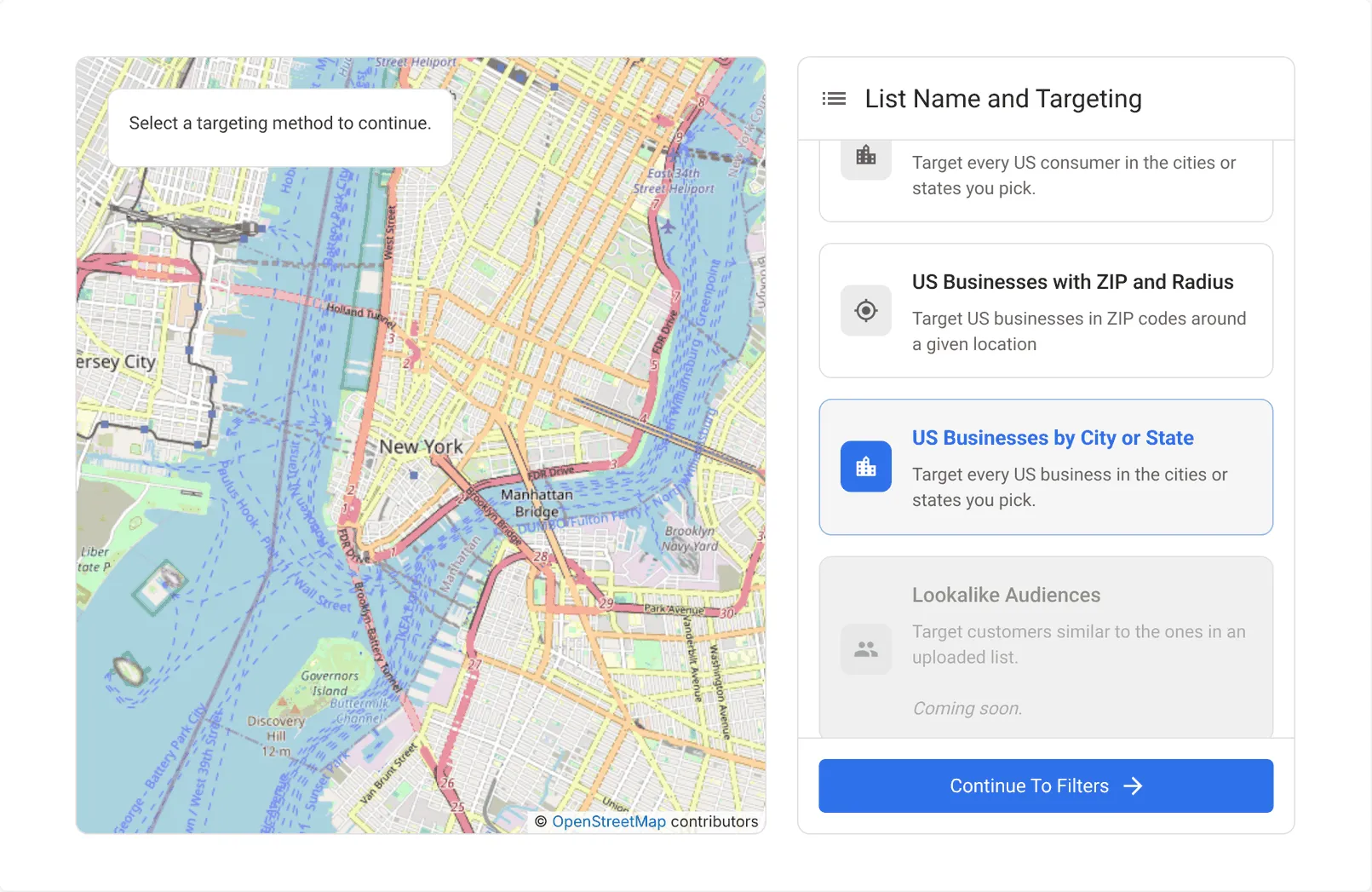
Under Targeting Method, select US Businesses by City or State and click Continue to Filters.
-
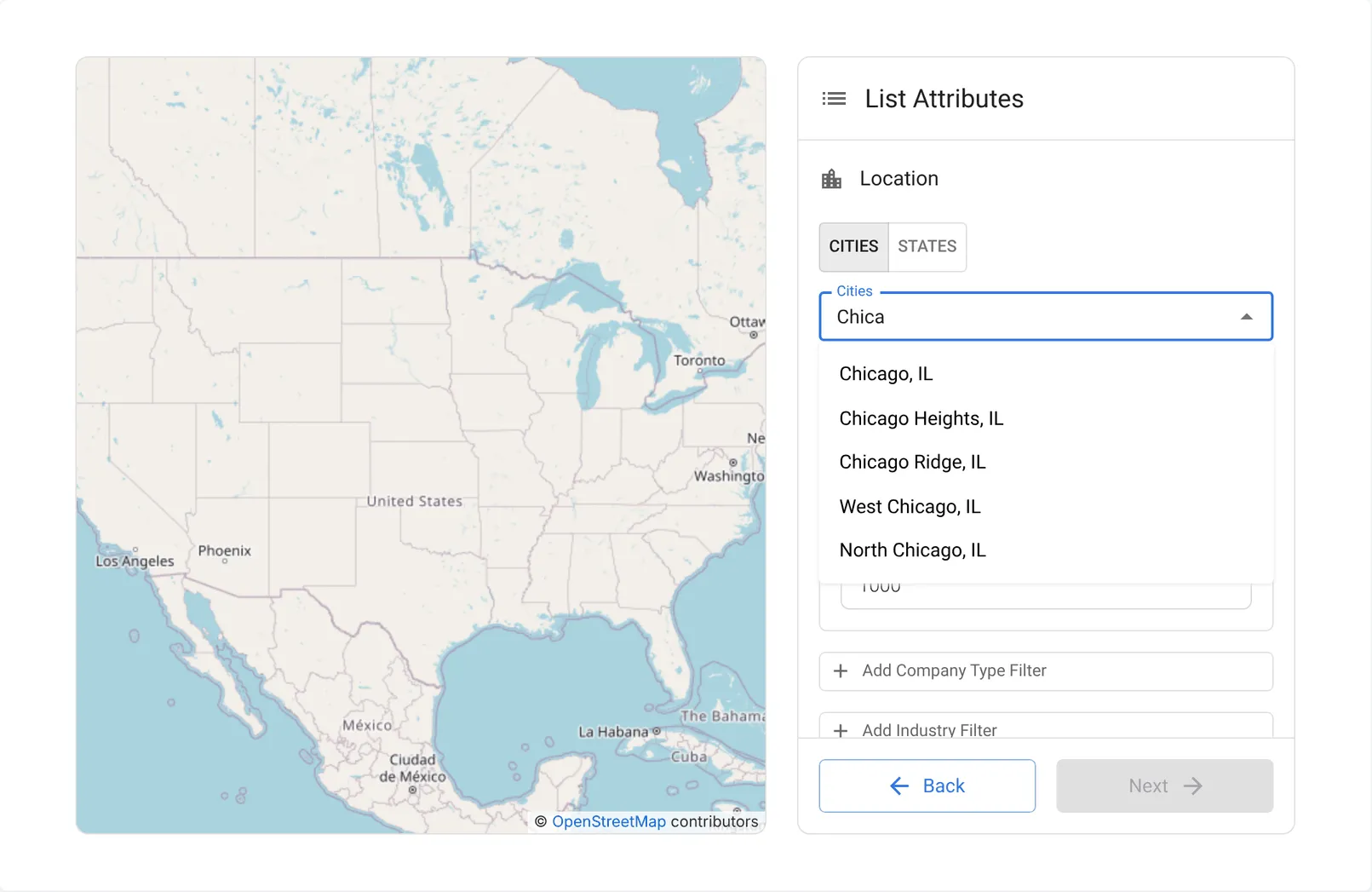
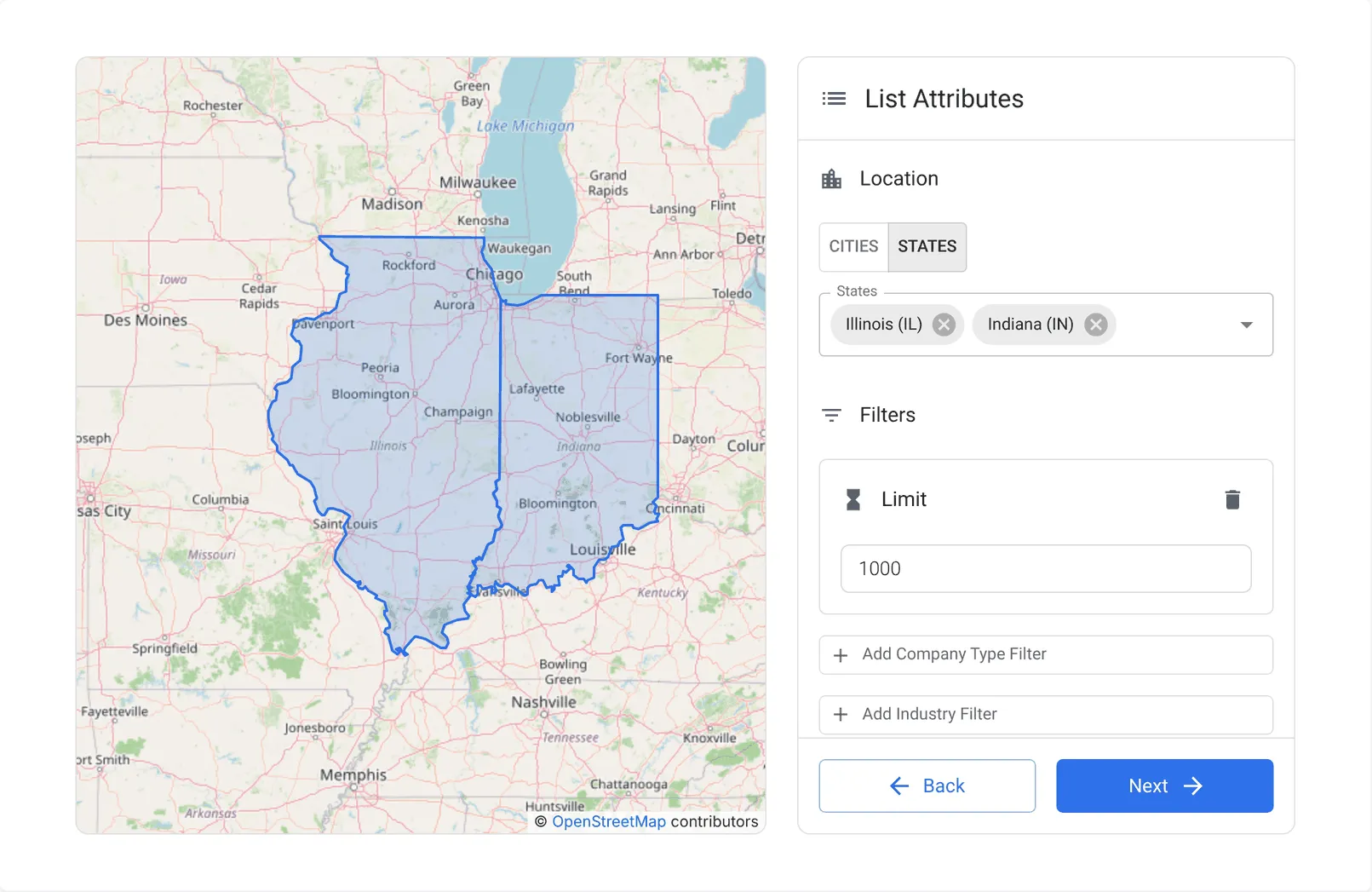
Under Location, choose Cities or States. A list targets cities or states, not both.
- Cities: Start typing a city, then pick it from the suggestions. Add as many cities as you need.
- States: Select one or more states.
-
Optionally, apply any of the following filters:
- Limit: The maximum number of contacts in your list. In city or state mode this starts at 1,000, since a whole state can hold hundreds of thousands of businesses.
- Company Type: Filter by ownership structure (Private, Public, Public Subsidiary, Nonprofit, Government, Educational).
- Industry: Search for and select one or more industries (e.g., retail, financial services, hospital & health care).
- Employee Count: Set a minimum and maximum number of employees.
- NAICS Codes: Enter 6-digit NAICS codes to target businesses by their primary business activity.
- Tags: Enter tags to refine your audience (e.g., b2b, saas, enterprise).
- Founded Year: Set a range for the year the company was founded.
-
Click Next to generate your quote.
-
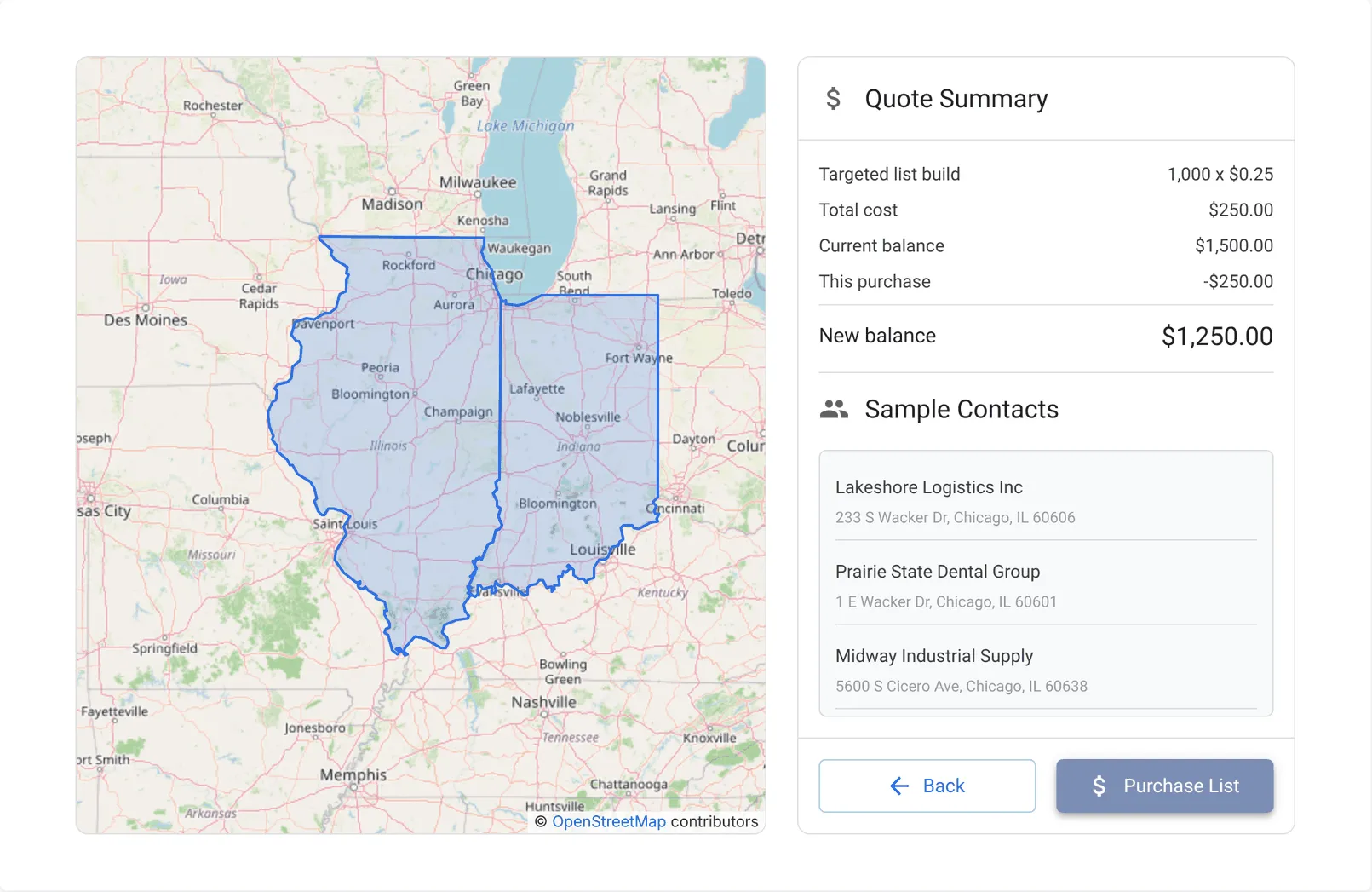
Review the Quote Summary. It shows the number of contacts and the price per contact, the total cost, your current balance, and your balance after the purchase. Sample contacts are shown below it.
-
Click Purchase List to build your mailing list.
As part of the campaign flow
Section titled “As part of the campaign flow”When creating a new campaign, select Build a list on the Mailing List step. This takes you through the same steps as above. Once purchased, the list is added to your campaign automatically.
How do I get billed for it?
Section titled “How do I get billed for it?”List purchases are paid from your PostGrid account balance. Generating a quote is free. You’re charged only when you click Purchase List.
The Quote Summary shows exactly what you’ll pay before you purchase:
- Targeted list build: the number of contacts × the price per contact
- Total cost
- Current balance
- This purchase
- New balance
If your balance doesn’t cover the purchase, the Quote Summary shows an Insufficient Funds message and you can’t purchase the list. Contact sales, or your account administrator, to add funds.
Q. How is a business matched to a city or state?
A. By its headquarters address. A company with offices in several states is
included only in the state where it is headquartered.
Q. Can I target both cities and states in the same list?
A. No. Each list targets either cities or states. Switching between Cities
and States clears your current selection.
Q. Why can’t I find my city?
A. Pick cities from the suggestions as you type, rather than typing the full
name. Some areas are listed as their own city. For example, Brooklyn is listed
separately from New York, NY.
Q. How big will my list be?
A. A whole state can hold hundreds of thousands of businesses (Illinois alone
has over 500,000). The Limit filter starts at 1,000 contacts. Change it
before you generate the quote, and check the contact count on the Quote
Summary before you purchase.
Q. Can I reuse lists I’ve built?
A. Yes. Every list you purchase is saved to your PostGrid account. To reuse one,
choose Select a previous list on the Mailing List step when you create a
campaign.
Q. Are the contacts in the generated lists verified?
A. Yes. Contacts in the B2B List Builder come from high-quality data providers.
Want to target the area around a specific address instead? See US Businesses with ZIP and Radius.