
Impersonating your Sub-Organizations
How to act on behalf of PostGrid sub-organizations via the dashboard or by passing the PostGrid-Org header in API requests.
You might want to perform tasks on behalf of your sub-organizations - whether that’s updating templates, sending mail, or handling administrative tasks. PostGrid allows you to do this by impersonating your sub-organizations.
Prerequisites
Section titled “Prerequisites”- Your organization must have impersonation enabled (contact your account manager to enable this)
- The impersonating user must either have the “Admin” role, or be assigned a permission policy covering the sub-organization they want to act on
Who can impersonate
Section titled “Who can impersonate”Admin users can impersonate any of your sub-organizations. While impersonating, they take on the set of roles PostGrid configured for your organization when impersonation was enabled — ask your account manager if you need that set changed.
Non-admin users can impersonate only the sub-organizations named by a permission policy assigned to them, and they take on the roles that policy grants. This lets you delegate sub-organization access without handing out full admin rights — for example, a policy granting “Admin” access to a single sub-organization.
Admins create and assign policies from Settings → Permission Policies (see Permission Policies).
Impersonating from the dashboard
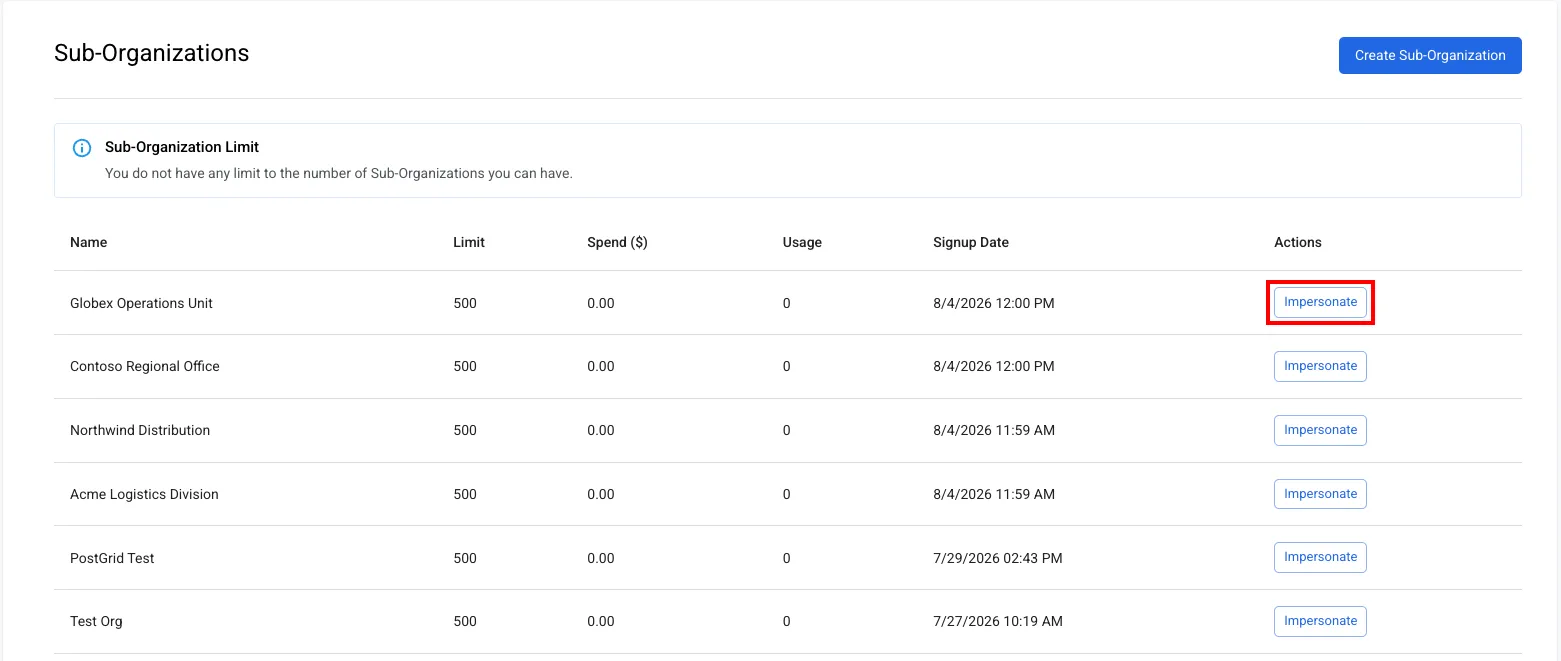
Section titled “Impersonating from the dashboard”Go to Sub-Organizations, find the sub-organization you want, and click Impersonate. The list only shows the sub-organizations you have access to.
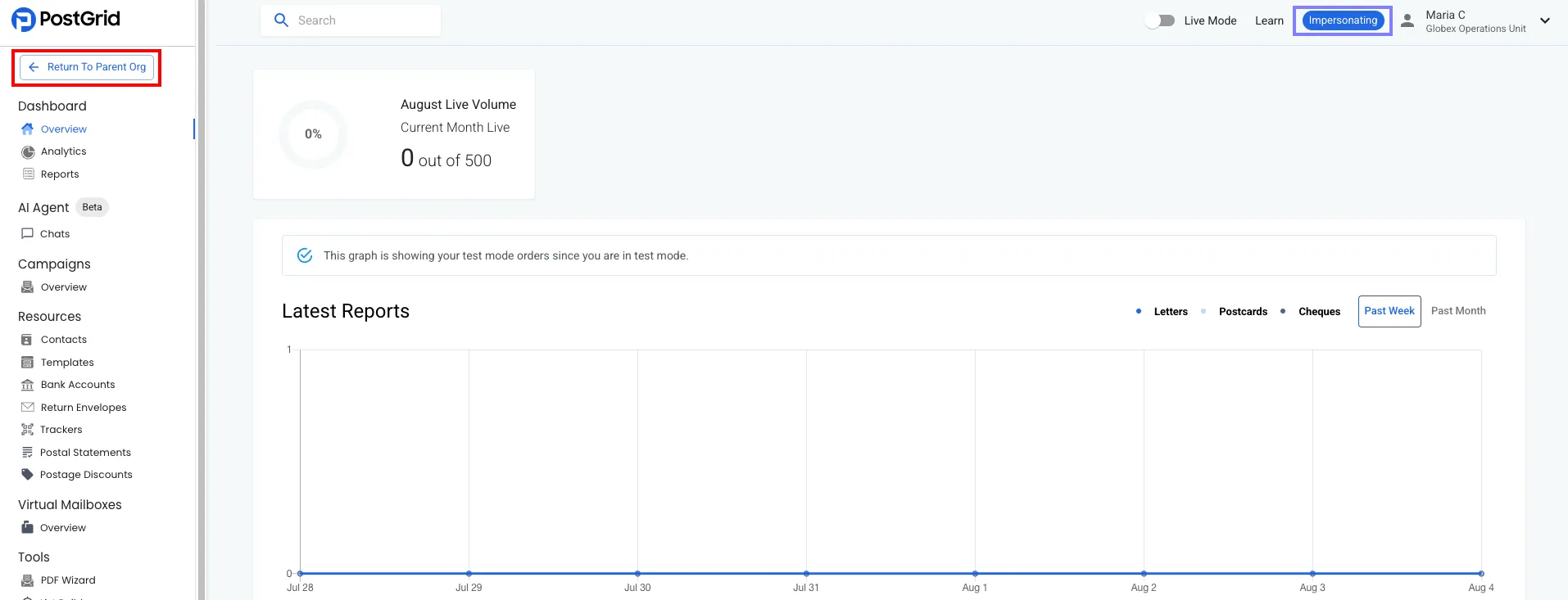
The dashboard then acts on behalf of that sub-organization, showing its name in the top-right corner alongside an Impersonating label. Click Return To Parent Org in the top-left corner to end the session.
To sign in directly as a specific user of a sub-organization, use the dashboard impersonation login page, which looks like this:
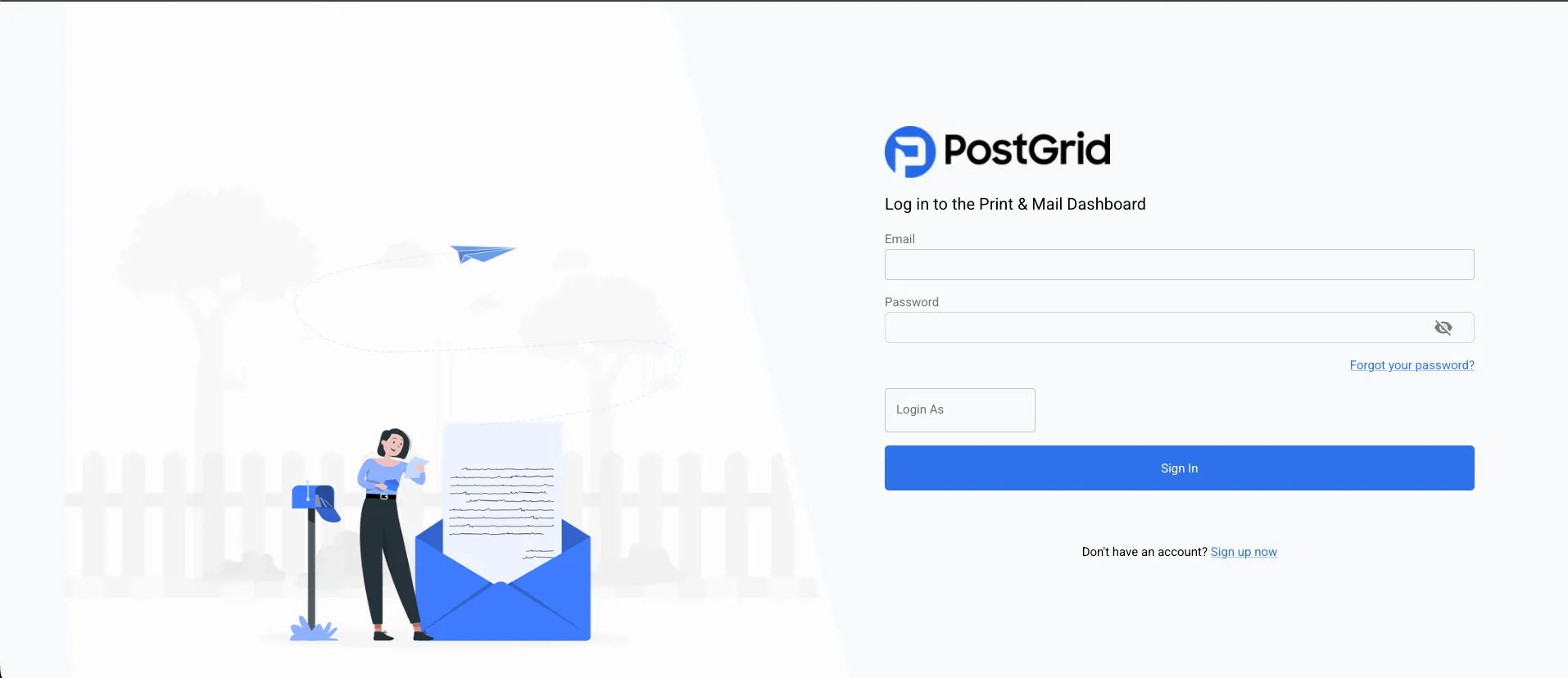
You can enter your credentials as usual and enter the email of a user of your sub-organization you wish to impersonate. This page is available to admin users only; non-admin users with a permission policy should use the Impersonate button described above.
Impersonating from the API
Section titled “Impersonating from the API”You can also impersonate by sending API calls on behalf of your
sub-organizations. This removes the need to store, secure, and orchestrate
multiple credentials for each sub-organization. Add the PostGrid-Org header to
your API call with the sub-organization ID as the value. For example:
/** * @param {string} toContactID * @param {string} fromContactID * @param {string} templateID */async function createLetter(toContactID, fromContactID, templateID, subOrgID) {    const requestOptions = {        method: 'POST',        headers: {            'x-api-key': API_KEY, // Your API Key            'Content-Type': 'application/json',            'PostGrid-Org': subOrgID,        },        body: JSON.stringify({            to: toContactID,            from: fromContactID,            template: templateID,        }),    };
    const resp = await fetch(POSTGRID_URL + '/letters', requestOptions);
    return await resp.json();}