
Configuration
How to configure the PostGrid app in Salesforce by adding your API key and base URL to enable address verification services.
After installing the PostGrid Application, you must configure it with a valid API key and API base URL to enable address verification services.
Navigate to the Configuration page within the PostGrid Application in Salesforce.
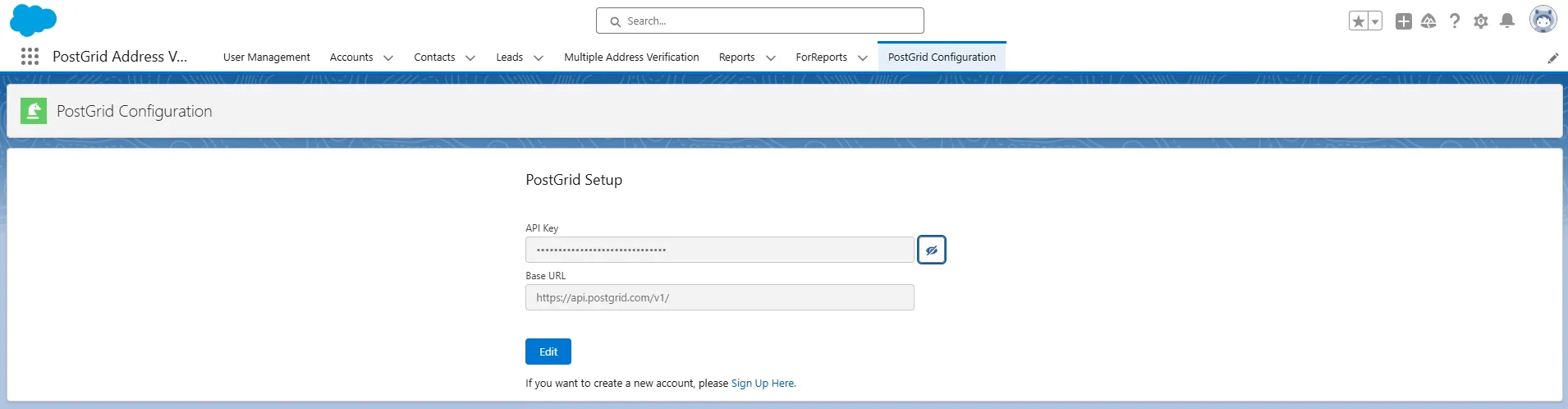
Add Your API Key
You can find the test or live API keys you have created in your PostGrid account, on the Developers page. Copy the key and paste it in the API key field here.
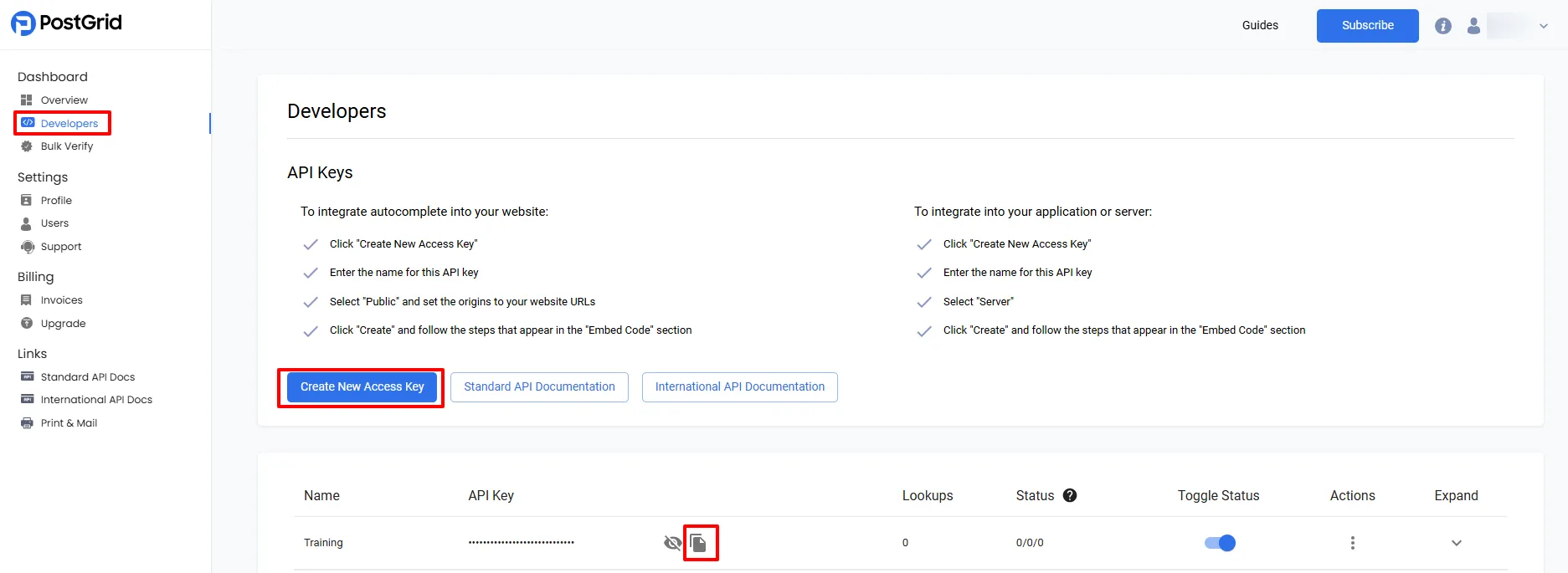
Enter the API Base URL
In the API Base URL field, enter the following URL
Base URL: https://api.postgrid.com/v1/