
White Label
How to customize the PostGrid dashboard with your own brand name, logo, domain, and colors using white label settings.
White Label allows you to customize the PostGrid dashboard experience with your own brand identity.
This feature is ideal for:
- Resellers
- SaaS platforms embedding PostGrid
- Agencies managing mail for clients
To get access to this feature, fill out this form, or contact our Sales Team at [email protected].
White label settings are managed under Sub-Organizations menu, in the Settings page, under Brand Settings tab.
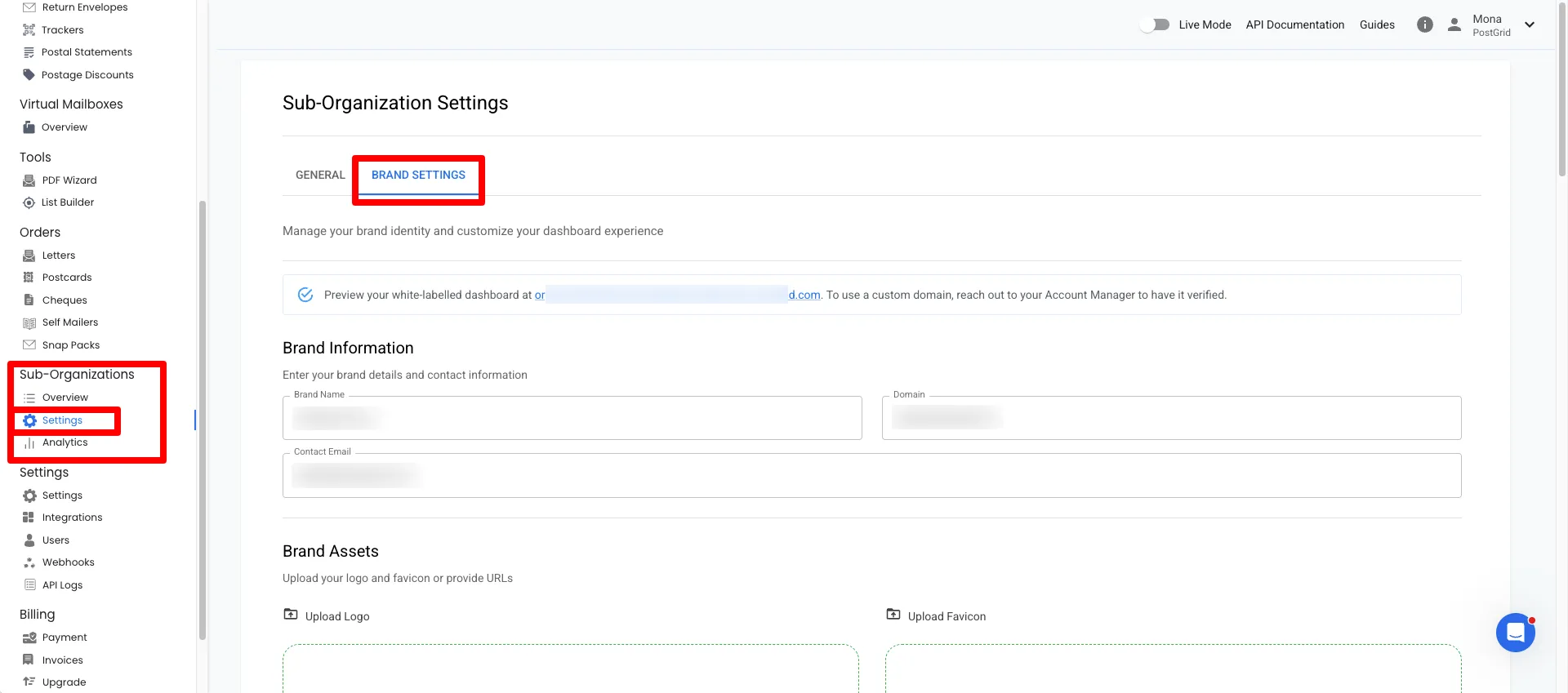
What You Can Customize
Section titled “What You Can Customize”1. Brand Information
Section titled “1. Brand Information”Define how your organization appears inside the dashboard.
- Brand Name – Displayed in the dashboard header.
- Domain – The URL where users access the dashboard (if configured).
- Contact Email – Used for brand-related communication.
2. Brand Assets
Section titled “2. Brand Assets”Upload visual assets for your branded experience.
- Logo (PNG or SVG recommended)
- Favicon (icon shown in browser tabs)
You can either:
- Upload a file
- Or provide a hosted URL
3. Theme Colors
Section titled “3. Theme Colors”Customize the dashboard color scheme using hex values.
Available fields:
- Primary
- Secondary
- Error
- Warning
- Info
- Success
- Text
These colors apply across buttons, alerts, and UI elements.
4. Custom Links
Section titled “4. Custom Links”Override default PostGrid links with your own URLs.
You can customize:
- Contact Us
- Getting Started
- Help / Support
- Talk to Sales
- KYC
- Blog
- Legal
- Address Changes
- Reports
- Webhooks
If a field is left blank, the default PostGrid link will be used.
5. Brand Preview
Section titled “5. Brand Preview”Before saving, you’ll see a live preview showing:
- Brand name
- Domain
- Logo
- Favicon
- Theme colors
This allows you to confirm styling before applying changes.
Custom Domain (Optional)
Section titled “Custom Domain (Optional)”If you want users to access the dashboard via your own domain (e.g.
mail.yourcompany.com):
- Enter the domain in the Domain field.
- Follow DNS setup instructions provided by your account manager.
If you do not configure a custom domain, the default PostGrid domain will be used.
Best Practices
Section titled “Best Practices”- Upload high-resolution SVG logos when possible.
- Keep legal and support links updated.
- Test login and dashboard appearance after saving changes.
- Ensure your primary and text colors meet accessibility standards.