
Multiple Address Verification
How to validate multiple Salesforce records at once using PostGrid's bulk address verification feature for Accounts, Contacts, and Leads.
The PostGrid Multiple Address Verification feature allows you to validate several addresses at once, streamlining the process for larger datasets.
Validate Multiple Address
Section titled “Validate Multiple Address”1. Navigate to the Multiple Address Verification Page
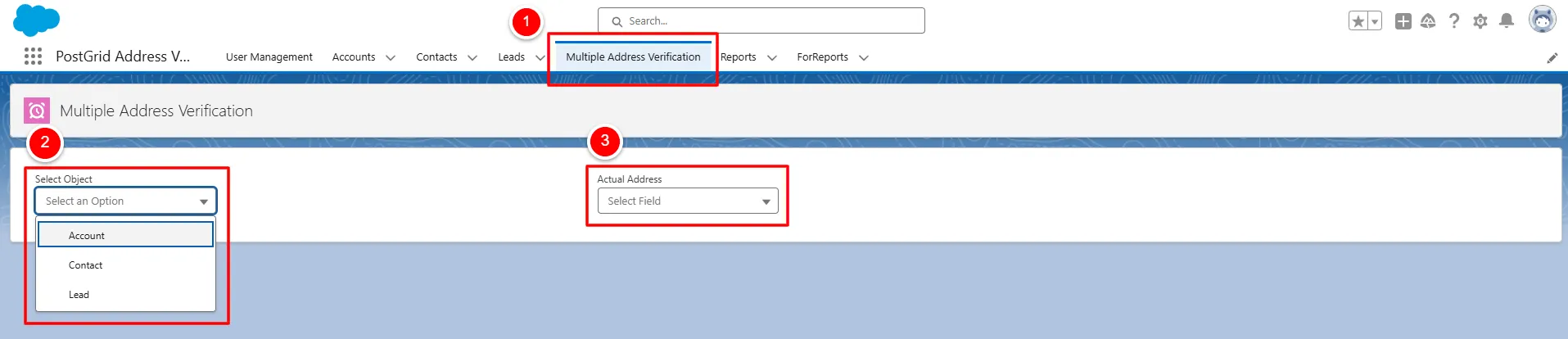
Section titled “1. Navigate to the Multiple Address Verification Page”Access the Multiple Address Verification page within the PostGrid App.
Choose between one of the available Objects of Accounts, Contacts, or
Leads and select the corresponding Address Field.
2. Select Records to Validate
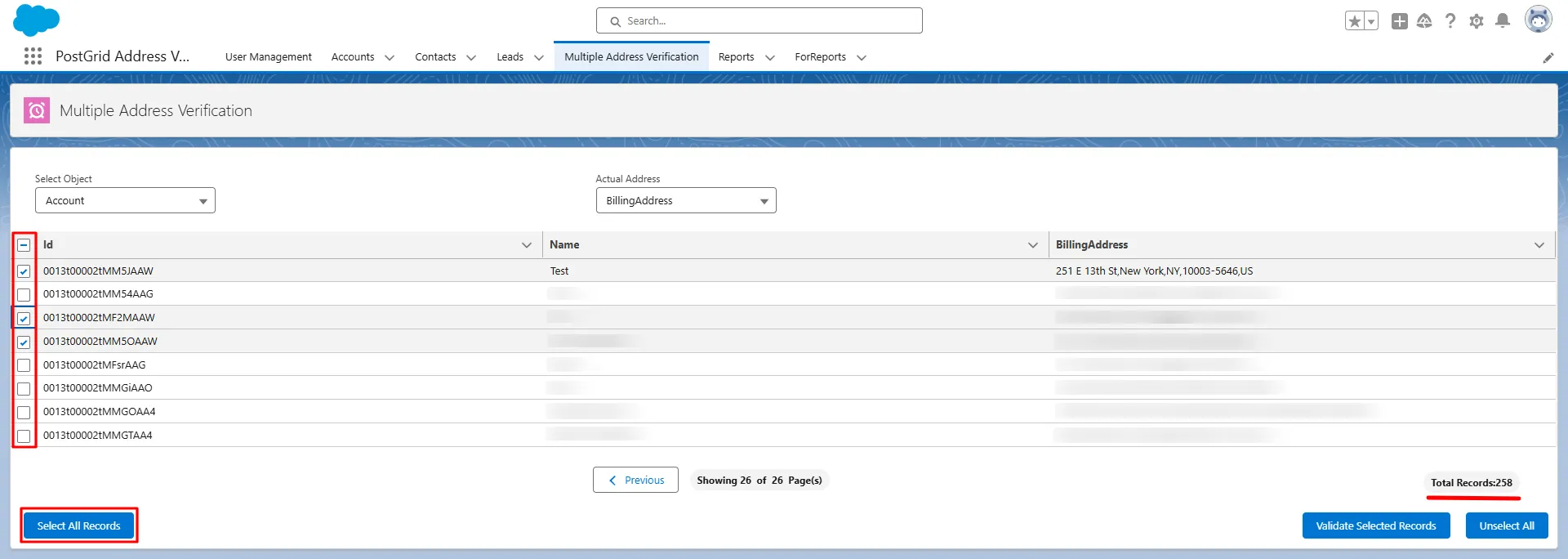
Section titled “2. Select Records to Validate”You’ll see a preview of all records in the selected object.
Choose individual records or use the Select All option to verify all displayed
records.
3. Initiate the Validation Process
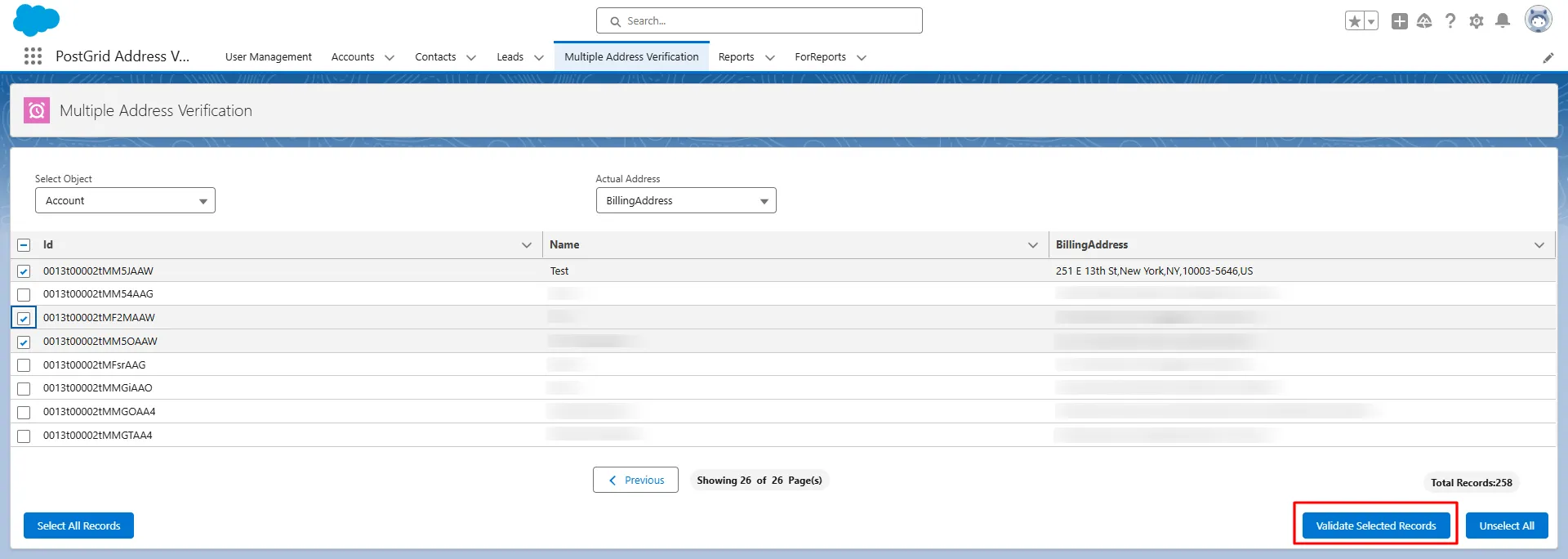
Section titled “3. Initiate the Validation Process”Click on “Validate Selected Records” to start the validation process.
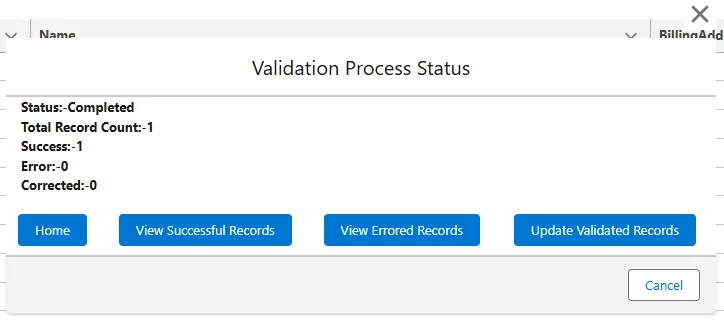
A Status page will appear, providing an overview of the validation progress, with the following information
- Status - This shows the status of the validation process.
- Total Record Count - This shows the total number of records for which the validation process was run.
- Success - This shows the number of records for which the validation process ran successfully.
- Error - This shows the number of records for which the validation process was unsuccessful.
- Corrected - This shows the number of records for which the address was corrected.
4. Download Detailed Results
Section titled “4. Download Detailed Results”For detailed insights, you can download reports in CSV format for Successful or Errored status categories by clicking on the “View Successful Records” or “View Errored Records”.
5. Update the Addresses
Section titled “5. Update the Addresses”You can update the selected addresses with the newly validated information by clicking on “Update Validated Records” button.
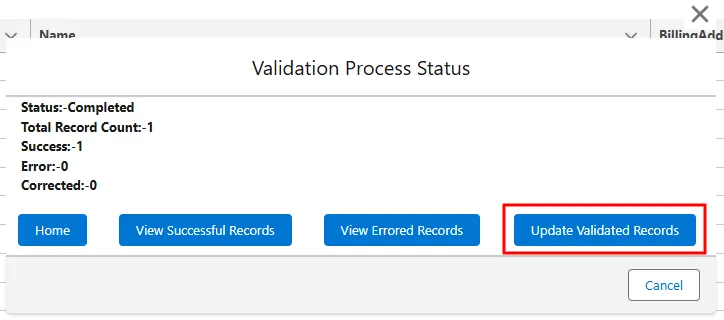
This will overwrite the current addresses with the validated version in the appropriate field.